
Google Business Profile suspended: why it happens and how to fix it
A suspended Google Business Profile drops out of Maps until it is fixed. This guide covers the common causes, the evidence to collect and how to appeal once, properly.
Key points
- A suspended Google Business Profile has been restricted by Google for breaking its guidelines, and it stops appearing normally in Maps and the local pack.
- The most common causes are a keyword-stuffed business name, an address that is not a real staffed location, a service-area business showing its address, and duplicate profiles.
- Fix the cause before appealing. An appeal for a profile that still breaks the rules is usually rejected.
- Appeal once, through the appeals link Google provides, with evidence that the business is real and at that location.
- Do not create a new profile while the appeal is open. Duplicates make the problem worse.
What does it mean when a Google Business Profile is suspended?
A suspended Business Profile is one that Google has restricted because it believes the profile, or the business behind it, breaks the guidelines for representing a business on Google. Depending on the restriction, the profile may disappear from Maps and the local pack, show as unverified, or lose the owner’s ability to edit it.
Google usually sends an email and shows a notice in the profile. The notice is the starting point, because it tells you which kind of problem Google thinks it found.
Why do Google Business Profiles get suspended?
Most suspensions come from a handful of guideline problems. Check each one against your profile.
| Cause | Example | Fix |
|---|---|---|
| Keywords in the business name | “Smith Plumbing – Emergency Plumber Houston” | Use the exact name on your signage and documents |
| An address that is not a staffed location | A virtual office, mailbox service or a coworking desk without regular staffed hours | Use a real location where you meet customers, or switch to a service area |
| A service-area business showing its address | A mobile locksmith displaying a home address | Hide the address and set the service area |
| Duplicate profiles | Two profiles for the same business at the same place | Keep one and remove or merge the other |
| Big edits at once | Changing the name, address and category on the same day | Make changes one at a time, and only when the business really changed |
| A business type Google restricts | Some lead generation or rental listings | Check the guidelines for your industry |
How do you reinstate a suspended Google Business Profile?
Reinstate a suspended profile by fixing the cause, collecting proof, and submitting one appeal through Google’s own process.
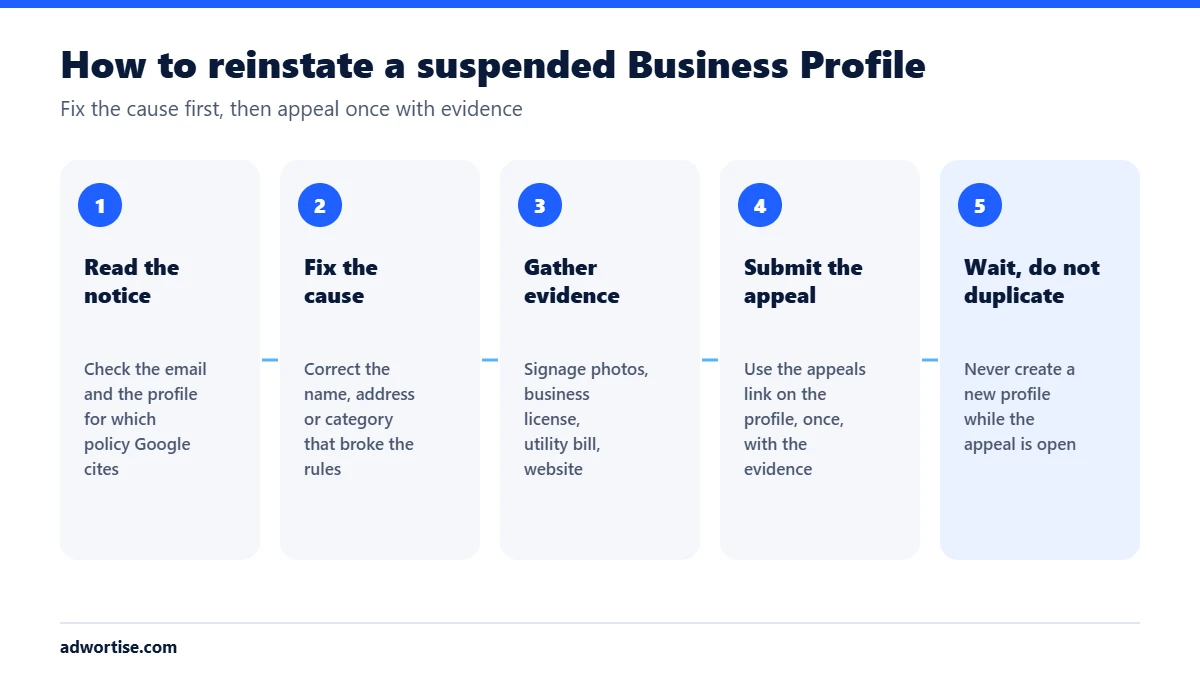
- Read the notice. Open the email and the profile. Note the policy Google cites and the date.
- Fix the cause. Change the name back to the real business name, hide a home address, or remove a duplicate, before you appeal.
- Gather evidence. Photos of permanent exterior signage and the entrance, a business license or registration, a recent utility bill or lease in the business name at that address, and a website that shows the same name, address and phone.
- Submit the appeal. Use the appeal link in the profile or the notice. Explain briefly what was wrong, what you changed, and attach the evidence.
- Wait. Google reviews appeals and replies by email. Do not create a new profile or keep editing the old one while it is under review.
- If it is rejected, read the reason, fix anything still wrong and ask Business Profile support for help, with the appeal reference.
How do you avoid a suspension?
- Use your real business name, exactly as it appears on signage and documents.
- List only real, staffed locations where you serve customers in person, or use a service area.
- Keep one profile per location.
- Make one change at a time, and expect a re-verification after big ones.
- Keep the name, address and phone identical on your website and listings. See local pack ranking factors.
- Be careful with anyone who offers to manage your profile: only give manager access, never ownership.
What are the common mistakes after a suspension?
- Creating a new profile. It is likely to be suspended too, and it adds a duplicate to fix.
- Appealing again and again. Repeat appeals without new evidence do not help.
- Appealing before fixing. Google checks whether the profile follows the guidelines now.
- Sending weak evidence. A screenshot of the website alone rarely proves a location.
How does Adwortise help with suspended profiles?
Adwortise audits the profile against Google’s guidelines, fixes the cause, prepares the evidence and submits the appeal, then sets up the profile so it does not happen again. It is part of local SEO services.
Frequently asked questions
How long does a Business Profile appeal take?
Often a few days, sometimes longer. Google replies by email when the review is finished.
Will I lose my reviews if my profile is suspended?
Reviews are usually restored when a suspended profile is reinstated. A new profile starts with none, which is another reason not to create one.
Can I appeal a suspension without a storefront?
Yes, if you are a service-area business. Hide the address, set the service area and provide proof that the business is real, such as a license and vehicle signage.
Can an agency get my profile reinstated faster?
No one can speed up Google’s review. A good agency makes sure the first appeal is complete and the cause is fixed.