
Google Ads conversion tracking for calls and forms: a setup guide
Conversion tracking tells Google Ads which clicks became leads. This guide shows what a lead generation business should track, how to set up calls and forms, and the mistakes that distort bidding.
Key points
- Conversion tracking tells Google Ads which clicks turned into leads, so you can judge campaigns and let bidding find more of them.
- For a local or lead generation business, track form submissions, calls from ads, calls from the website after an ad click, and bookings.
- Only real leads should be primary conversions. Page views and button clicks distort bidding.
- Calls need a minimum length, so a two-second wrong number does not count as a lead.
- The strongest setup imports qualified leads or sales from your CRM, so Google learns which clicks became customers.
What is conversion tracking in Google Ads?
Conversion tracking records when someone who clicked your ad takes an action you value, such as sending a form or calling. Google Ads then reports conversions and cost per conversion for every campaign, keyword and ad, and automated bidding uses the data to bid more for clicks likely to convert.
Without it, you can only judge an account by clicks, which says nothing about leads. It is the first thing we check in any PPC audit.
What should a lead generation business track?
Track every action that can become a customer, and nothing that cannot.
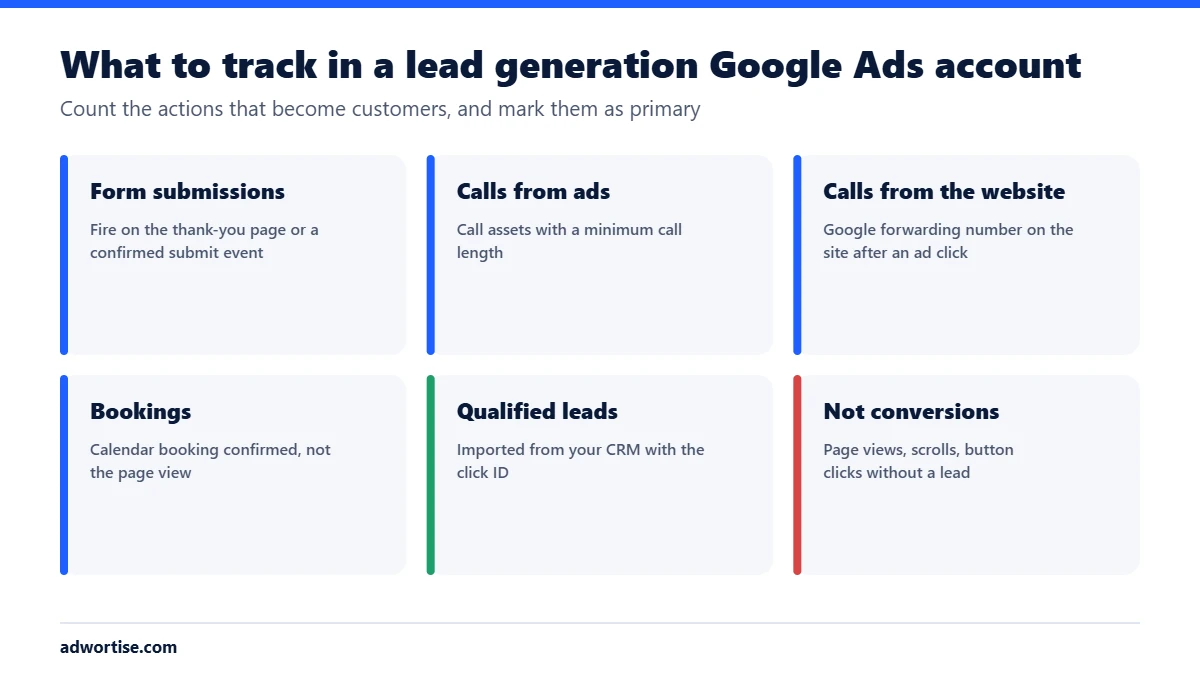
| Action | How to track it | Primary? |
|---|---|---|
| Form submission | Google tag event on a confirmed submit, or the thank-you page loading | Yes |
| Call from a call asset | Google Ads call reporting with a minimum call length | Yes |
| Call from the website | Website call conversion with a Google forwarding number shown after an ad click | Yes |
| Booking | An event when the booking is confirmed | Yes |
| Qualified lead or sale | Offline conversion import from your CRM, matched by the click ID | Yes, once running |
| Click on a phone number | Event on tap of a tel: link | Secondary: a tap is not a call |
| Page views, scroll depth | Google Analytics | No |
How do you set up conversion tracking?
- Install the Google tag on every page, directly or through Google Tag Manager.
- Create the conversion actions in Google Ads, under Goals, one for each action in the table above.
- Set the form trigger. Fire the conversion on a successful submission, not on a click of the submit button, which also fires when the form fails.
- Set up calls. Turn on call reporting for call assets and add the website call conversion snippet, with a minimum call length that matches a real enquiry.
- Turn on enhanced conversions for forms, which uses hashed form data to match more conversions accurately.
- Mark primary and secondary actions. Only primary actions count in the Conversions column and drive bidding.
- Test every action. Submit the form, place a call after clicking a test ad link, and check Google Tag Assistant and the conversion status in Google Ads.
- Add CRM import when you have the volume, so Google sees which leads became customers.
Should you use Google Ads conversions or GA4 key events?
Either can feed Google Ads. Native Google Ads conversion tags are usually the more direct choice for bidding. GA4 key events, imported into Google Ads, are useful when you want one definition of a lead across all channels. Do not count the same action from both sources as primary, or each lead will be counted twice.
What are the common conversion tracking mistakes?
- Counting page views as conversions. Bidding then chases visits, not leads.
- Double counting. The same form tracked by a Google Ads tag and a GA4 import, both primary.
- Counting every call. Without a minimum length, misdials count as leads.
- Firing on button clicks. Failed submissions count too.
- Never checking again. Site changes break tags. Check conversions after every website update, and after a migration.
How does Adwortise set up tracking?
Adwortise sets up and tests conversion tracking before any campaign budget goes up: forms, calls, bookings and, where possible, CRM import. See Google Ads management, Google Tag Manager setup and GA4 consulting.
Frequently asked questions
How long should a call be to count as a conversion?
Long enough to be a real enquiry for your business. Many local businesses use 60 seconds, which is Google’s default. Check a sample of calls and adjust.
Why are my conversions lower in Google Ads than in my CRM?
Some leads come from other channels, some people convert days later on another device, and consent settings can limit tracking. Enhanced conversions and CRM import close part of the gap.
Can I track WhatsApp clicks?
You can track clicks on a WhatsApp link as an event. Mark it secondary unless you can confirm the conversation happened.
Do I need Google Tag Manager?
No, but it makes managing several tags easier without editing the site each time.